
Coming to SoftwareCentral in Q1 2027
The same SoftwareCentral. A new way to work in it.
A menu at the side that stays out of your way. A start page that shows what changed since you were last here. Windows that explain themselves. Light or dark, in your own colours.
The change
Watch every part find its new place.
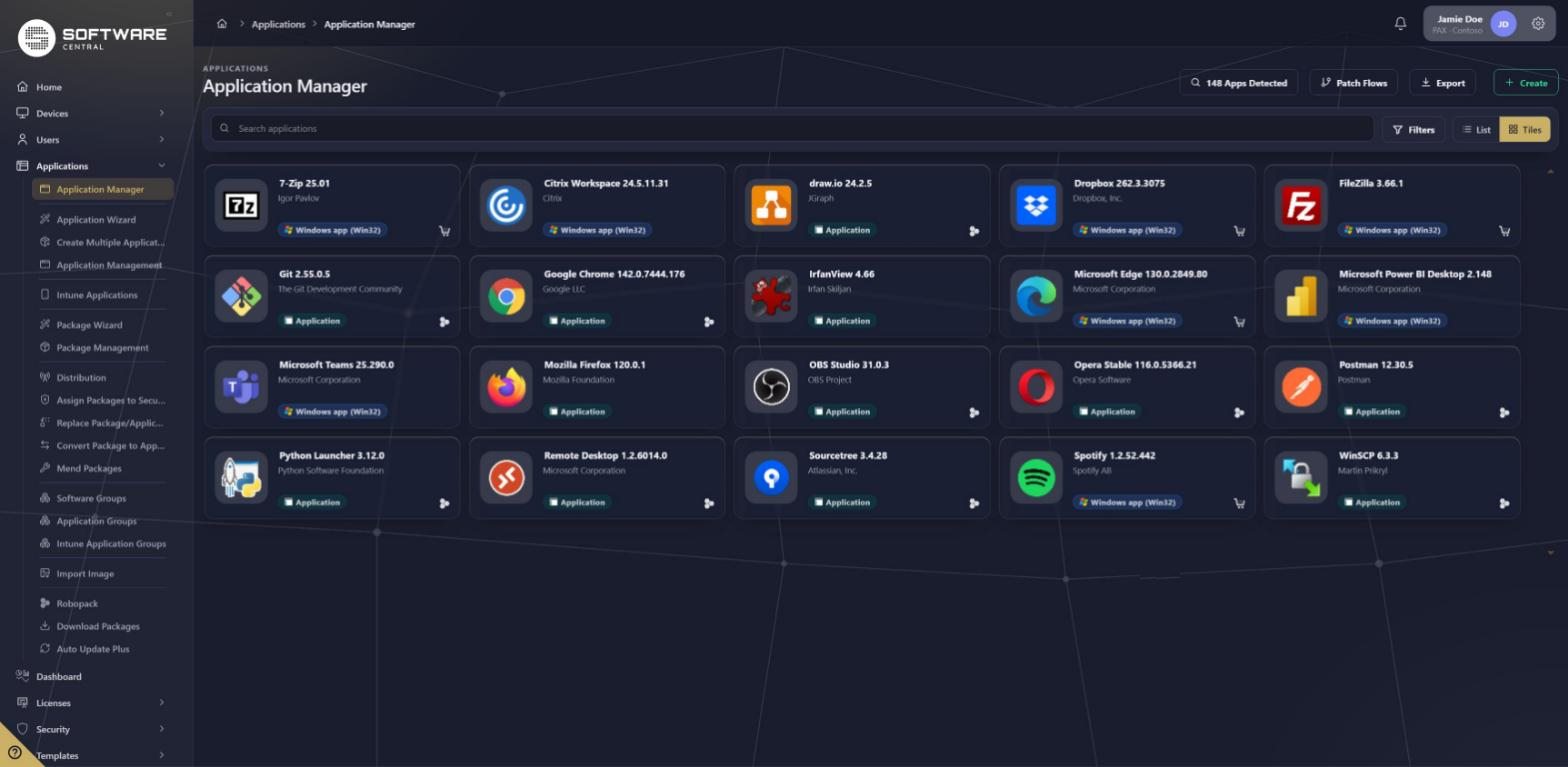
Nothing disappears. The menu moves to the side, the page gets a header and a toolbar, and the lists become lists or tiles, whichever you prefer.
- The menu moves to the sideGrouped into Manage, Insight and Administer. Keep it open, dock it to icons, or let it open when you point at it.
- Every page gets a headerThe page name and its main buttons, always in the same place.
- A toolbar, and tiles if you likeSearch, filters, Export CSV and a list or tile view on every converted page.
- You, always top rightA breadcrumb to find your way back, the bell, and a profile card with your settings.
The menu, your way
Keep it open. Or give the page the whole screen.
The menu at the side can stay open, dock to a strip of icons, or open by itself when you point at it. Same page, same apps: see how much room the work gets.

Why it is better
Less looking for things.
More getting them done.
SoftwareCentral grew one page at a time for many years. The new look gives every page the same structure, so what you learn on one page works on all of them.
One structure everywhere
Header, toolbar, filters, list or tiles. Learn it once, use it on every converted page.
More room for the work
The menu docks to a strip of icons, so lists and dashboards get the width of the screen.
Find instead of browse
One search on the start page, and Find a setting across every settings page at once.
Told, not searched for
Notifications and the start page bring what changed to you, instead of you checking page after page.
Windows that guide you
Big tasks become steps with a summary beside them, so you always see what will happen before it does.
Easy on the eyes
Light or dark per person, and colour themes for the whole interface, not only the Shop.
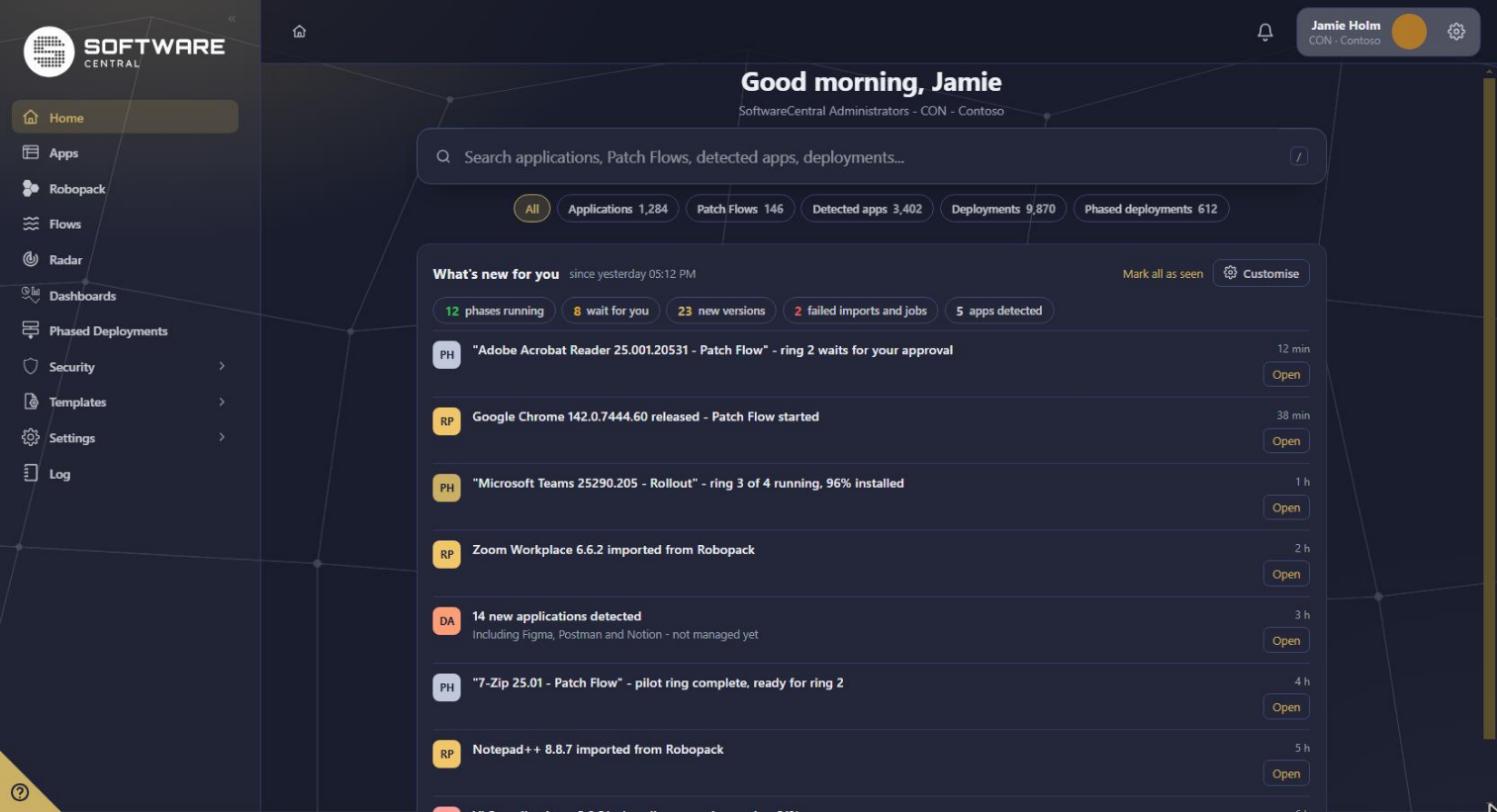
The new start page
Start the day with what changed.
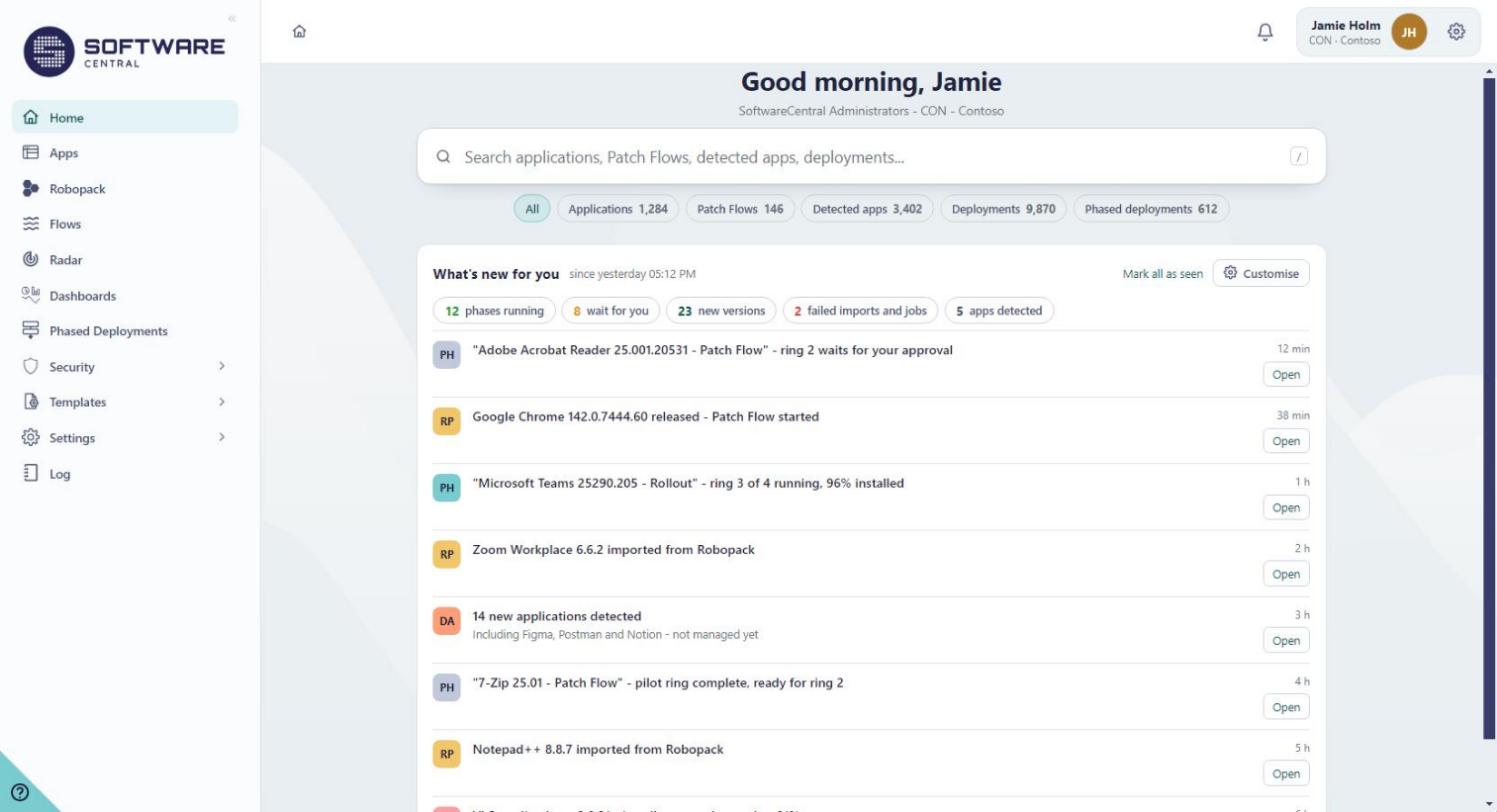
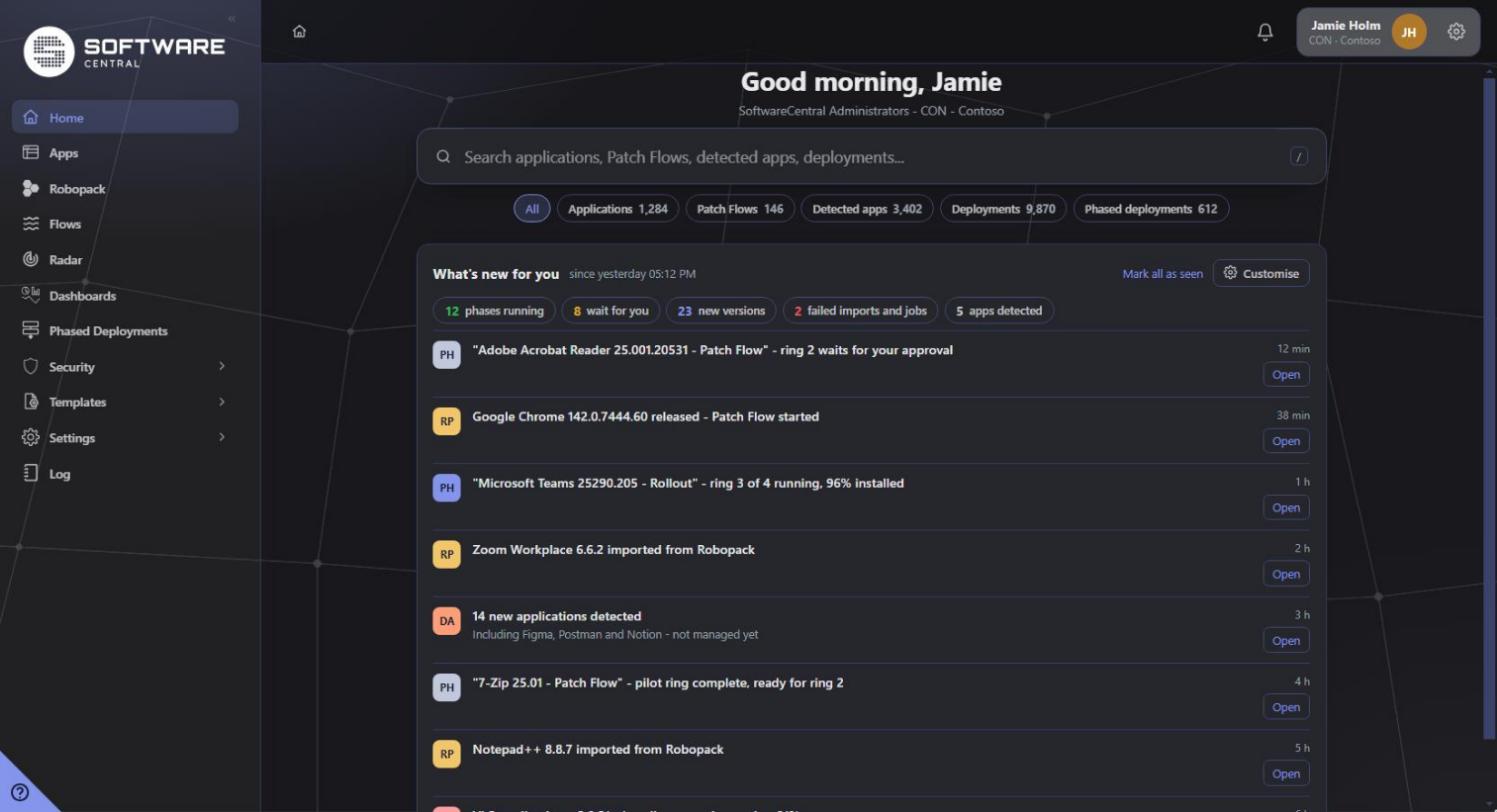
The home icon now opens a start page made for you. New versions, phased deployments waiting for you, failing apps and newly detected software, collected since your last visit, with counters that filter the list.
- One search for apps, Patch Flows, deployments and more
- Quick actions for your role
- The items you opened recently, on every PC
- Customise what it shows; saved per person
Windows, before and after
The same tasks. Far fewer questions.
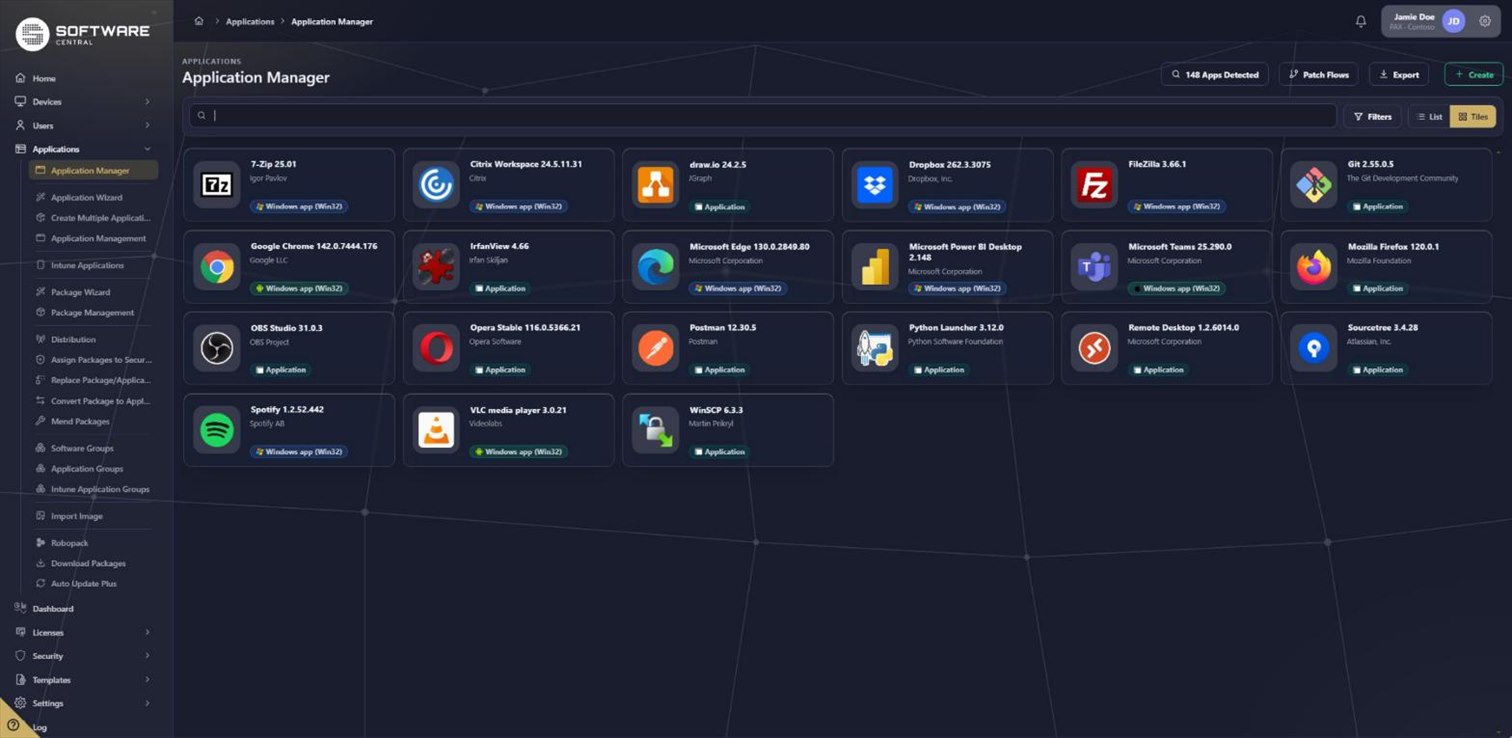
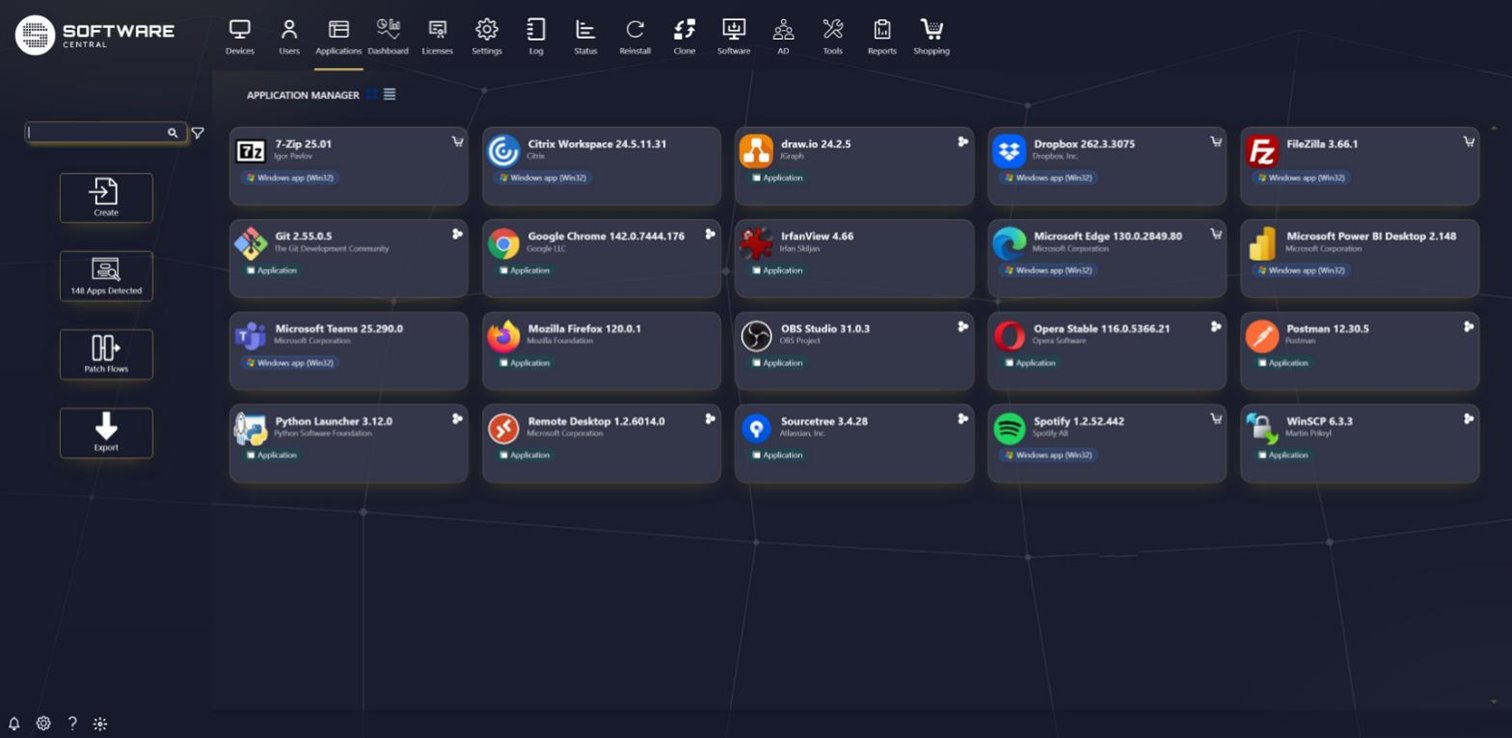
Pick a window, then drag across it: the new look on the left, today on the right. Click New look or Today to see the whole screen.
More in every overview
See the whole picture before you open anything.
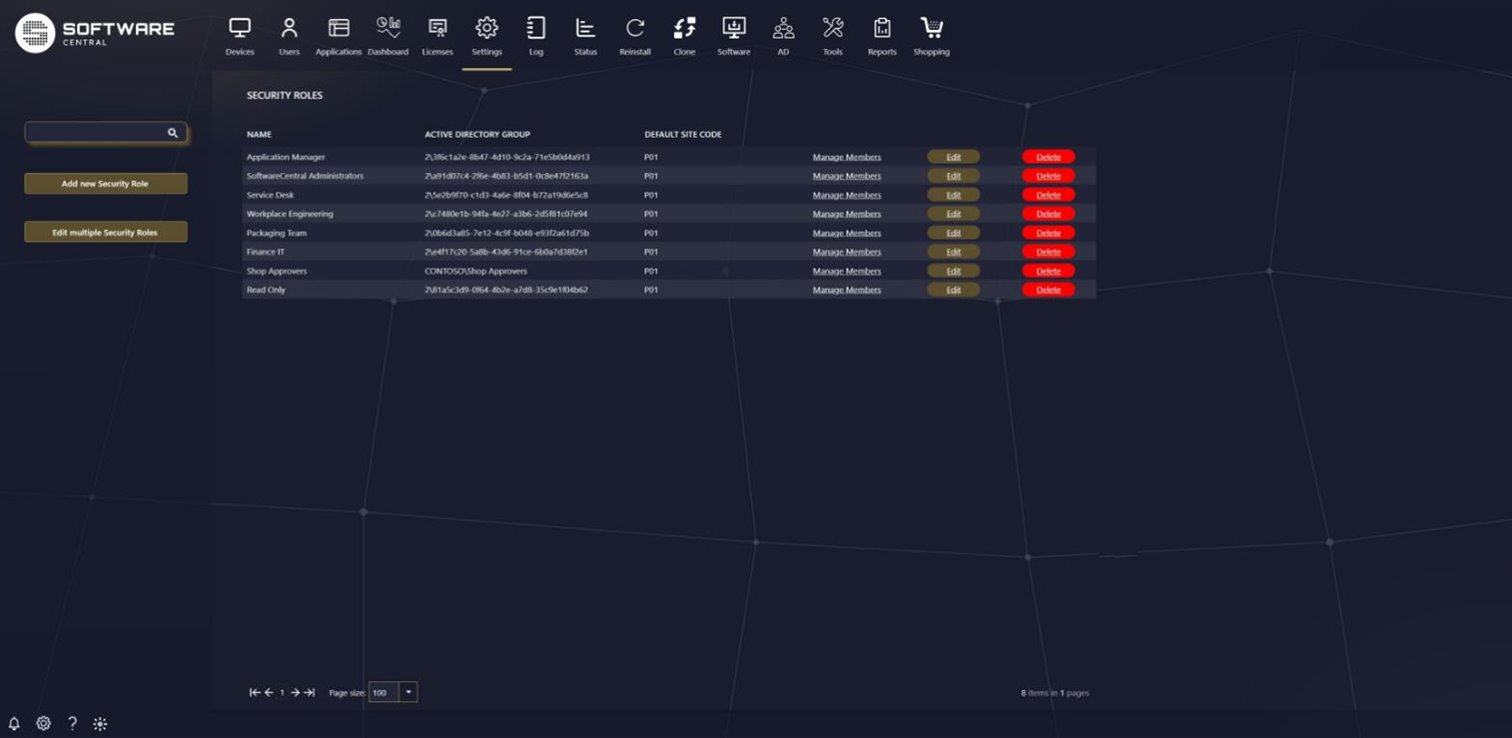
Take Security Roles. Today the list shows a name and a GUID. In the new look the same list tells you who the members are, which site, how many functions, which package security groups and which Intune tenants, and you can switch between a list and tiles.
Stay informed
Know what happened,
without refreshing a page.
Notifications
The bell tells you.
Notifications have their own panel in the top bar. Choose which ones you want, let the panel open by itself, and drag its corner to make it as big as you need. The Deployment Monitor is one click away.
- Your own choice of notifications
- Opens by itself, if you want it to
- Resizable, with the Deployment Monitor beside it
Log
A log that updates itself.
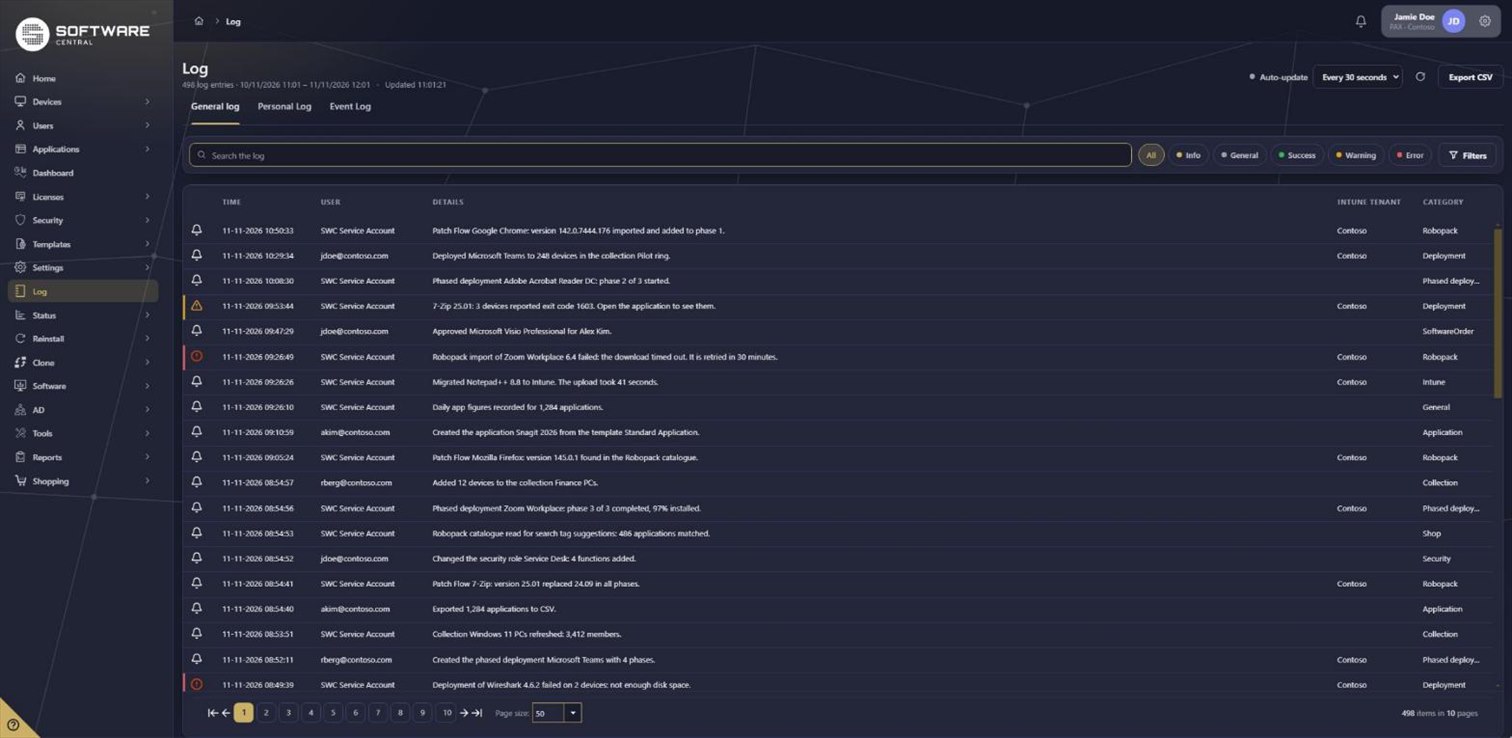
Switch on auto-update and new entries arrive while you watch, no more pressing Refresh. Tabs, a search, type filters you can combine and a date range in the Filters panel bring the entry you need a few clicks away instead of a long scroll.
- Auto-update: new entries arrive by themselves
- Type filters you can combine, e.g. errors only
- Search, tabs and a date range
More colours
Light or dark. And your colours, everywhere.
The colour themes of the Shop now reach the whole interface, windows included. Each person picks one in the profile card. Drag across the picture, then try the themes.
Questions
Good to know
When does it arrive?
The new look is planned for SoftwareCentral in the first quarter of 2027.
Do we lose anything?
No. The same pages, the same data, the same roles and settings. Only the way they are laid out changes.
Has anybody used it yet?
Yes. Application Manager already runs on the new look, and the new windows come to SoftwareCentral ahead of the rest.
What about pages that are not converted yet?
They keep their familiar look inside the new menu and top bar, until their turn comes.
Can each person choose light or dark?
Yes, in the profile card, together with the language and the colour theme.