1 Overview
Through this interface SoftwareCentral enables users to convert packages to the new application format in SCCM 2012.
It is possible to use an Application Template so your own default settings will be applied to the new application.
The application can by choice be distributed to the same distribution points and distribution point groups as the existing package.
Note that the Package will not be deleted in the process.
After a package has been converted to an application, the new application object should be tested. Once it has been tested, you can use Replace Package/Application to migrate installations with the package to the application. The detection method will ensure that the new application doesn’t reinstall the existing installations.
The site is available under “Packages/Convert Package to Application”.
2 How to
First you choose the package you want to convert, in the box in the left menu (type to search).
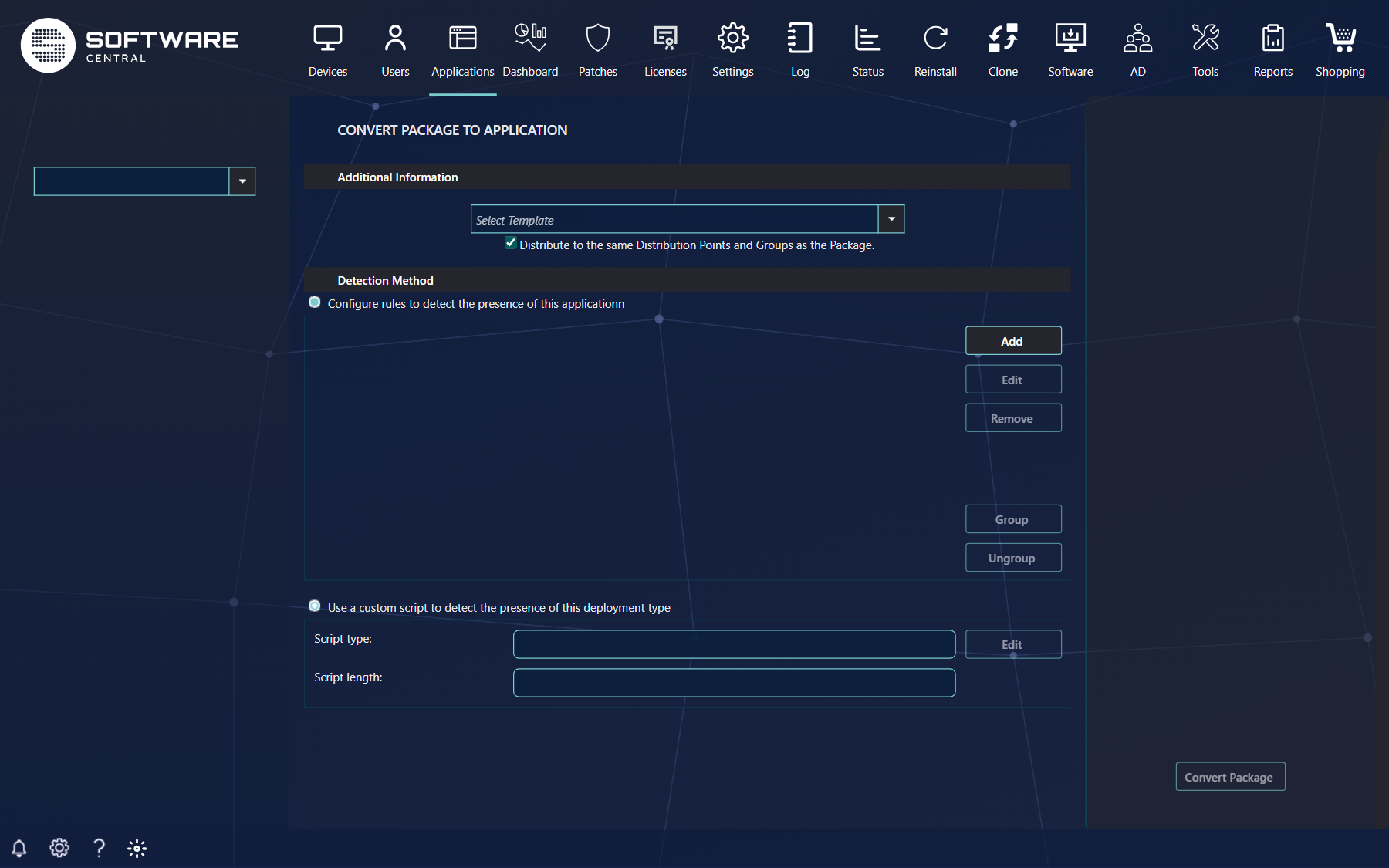
| Part of the page | What it does |
|---|---|
| Package box (left menu) | Select the package. The page checks that the package can be converted: it needs a source path, and the source must be on the package share defined for your site, otherwise you get SoftwareCentral wasn’t able to convert this package to an application with the reason. |
| Additional Information: template box | Optionally you can choose an Application Template. This will set all your settings from the template. With none, the default template is used. |
| Distribute to the same Distribution Points and Groups as the Package. | Ticked by default. The application is distributed to the same distribution points and distribution point groups as the old package, and is added to the same Package Security Groups as the package. This will override the distribution options from the application template. If unticked, the template (or the default distribution settings) is used. |
| Detection Method | The application requires a detection method before it can be created. If the package was a MSI package, a detection method has been added using the MSI package product code as detection. Otherwise you see A method to detect if the application is already present on a system is needed. and must add one (Detection Method is missing. if you try without). |
| Convert Package (right menu) | Converts the package. It runs in the background. Shop settings and categories of the package are copied to the application. Packages whose install command contains an .msi file are converted as MSI, all others as script installers. |
The new application gets the package’s manufacturer, name, version, language and description, and its collection name is the package name followed by (Application).
3 Best practice
- Use the same application template for all conversions in a batch, so the results are consistent.
- Keep Distribute to the same Distribution Points and Groups as the Package ticked unless the template should decide.
- For non-MSI packages, build a precise detection method (file version or registry value) rather than only checking that a file exists.