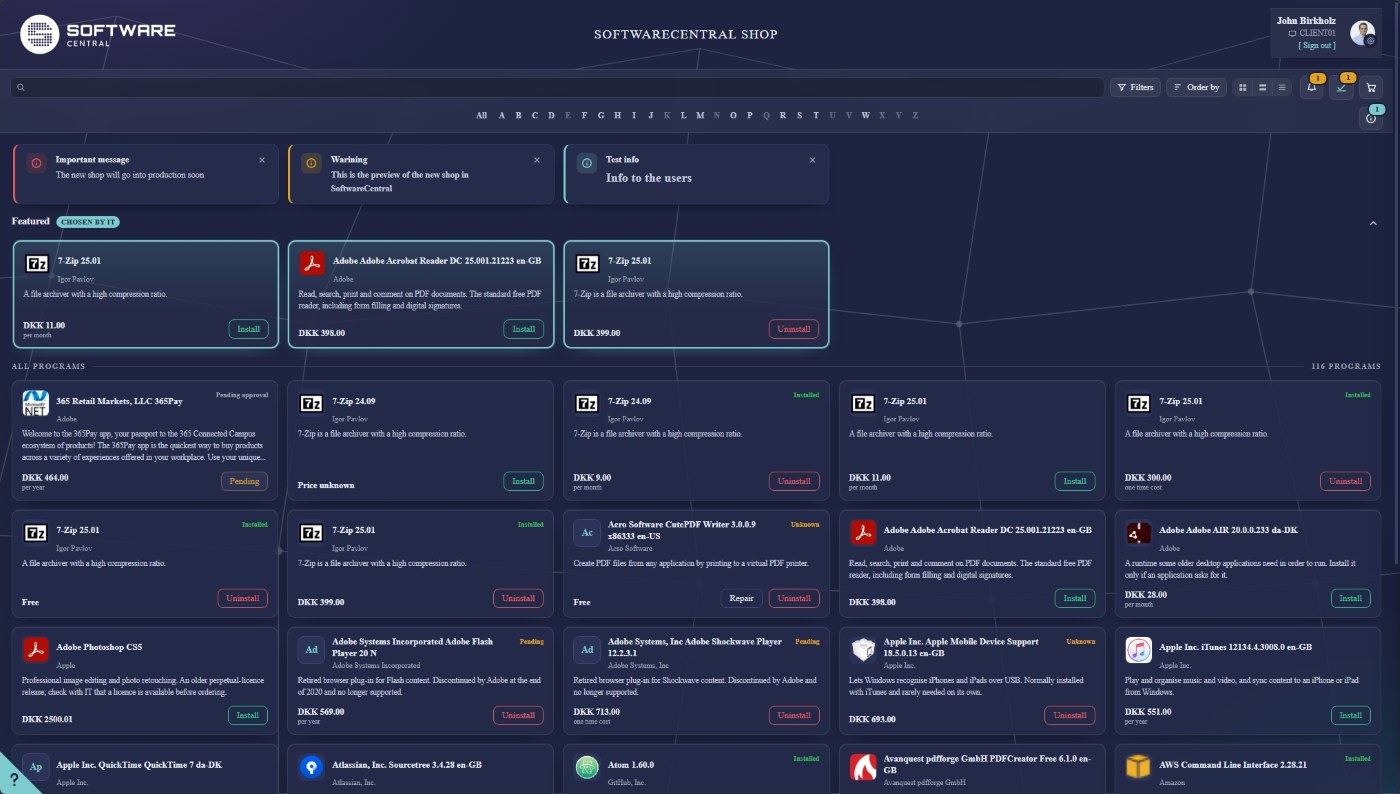
Robopack, only better
Robopack keeps your software up to date by itself, and this release makes that work smoother. You see every application Robopack can deliver in one overview, pick the ones you want, and let a Patch Flow take care of new versions from there. Underneath, we have spent a lot of time on the small things that decide whether it feels trustworthy.
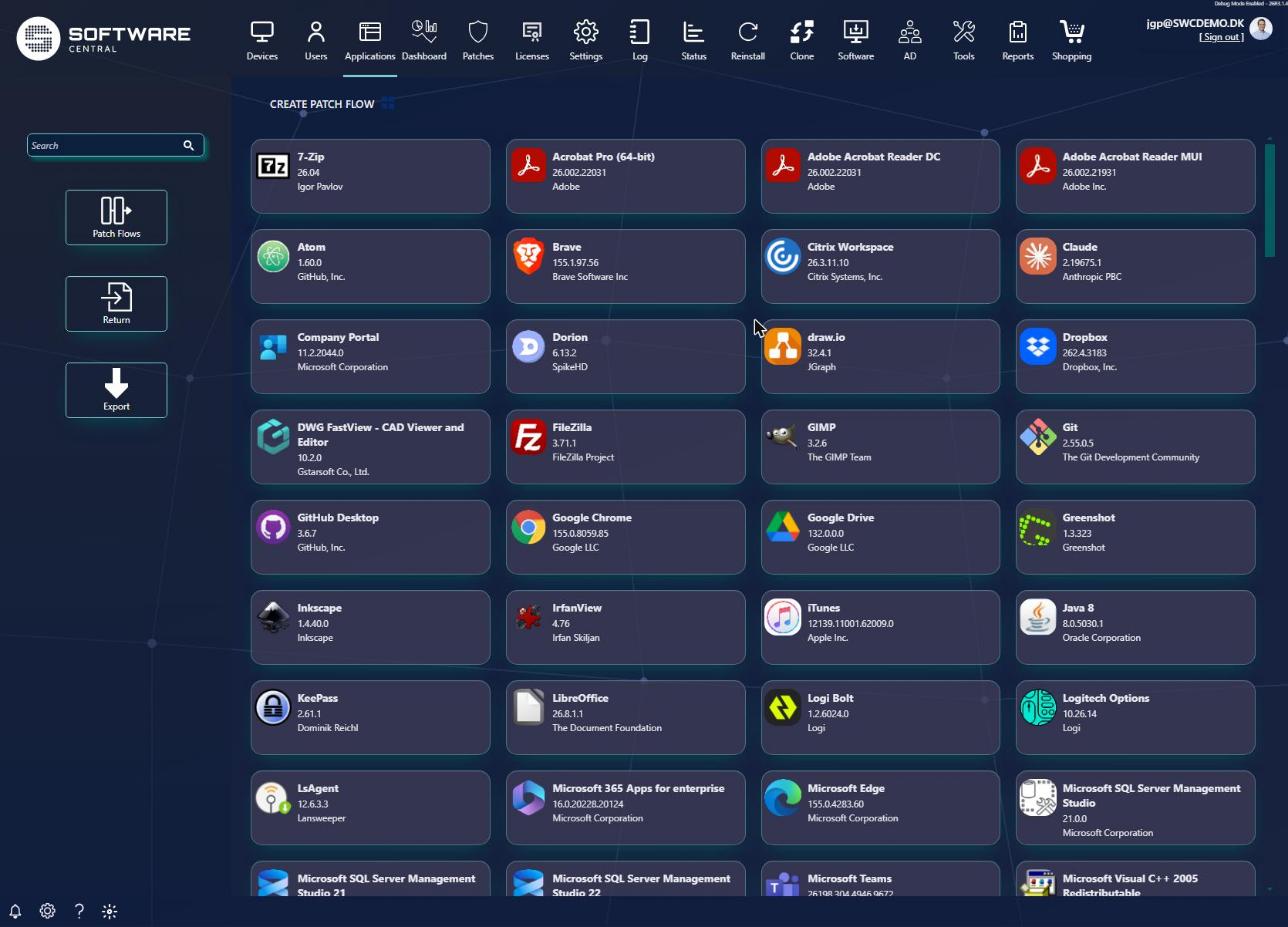
It gets back on its feet
A job that fails is tried again automatically, and you can run it again with one click. A version that cannot be imported is skipped, and the next one is imported instead.
It tells the truth
A job no longer says “done” before it is, and one problem no longer drags the other tenants down with it. When something goes wrong, the log now says why.
It tidies up after itself
Choose how many old versions to keep, and let the new version supersede the old one, or uninstall it first.
It keeps all your devices in the loop
A permanent collection follows you from version to version, so devices you added by hand are not forgotten when a new version arrives.
It survives a change of key
Move to another Robopack instance and your Patch Flows keep working.
Changed something in Robopack? Update with one click
When you change the settings of an application in Robopack, you no longer have to bring it in as a brand new application. Choose Update from Robopack next to Robopack Status, and the application you already have is refreshed with the new files and settings. If Robopack has moved on to a newer version in the meantime, you still get the version you imported, as long as Robopack still has it.
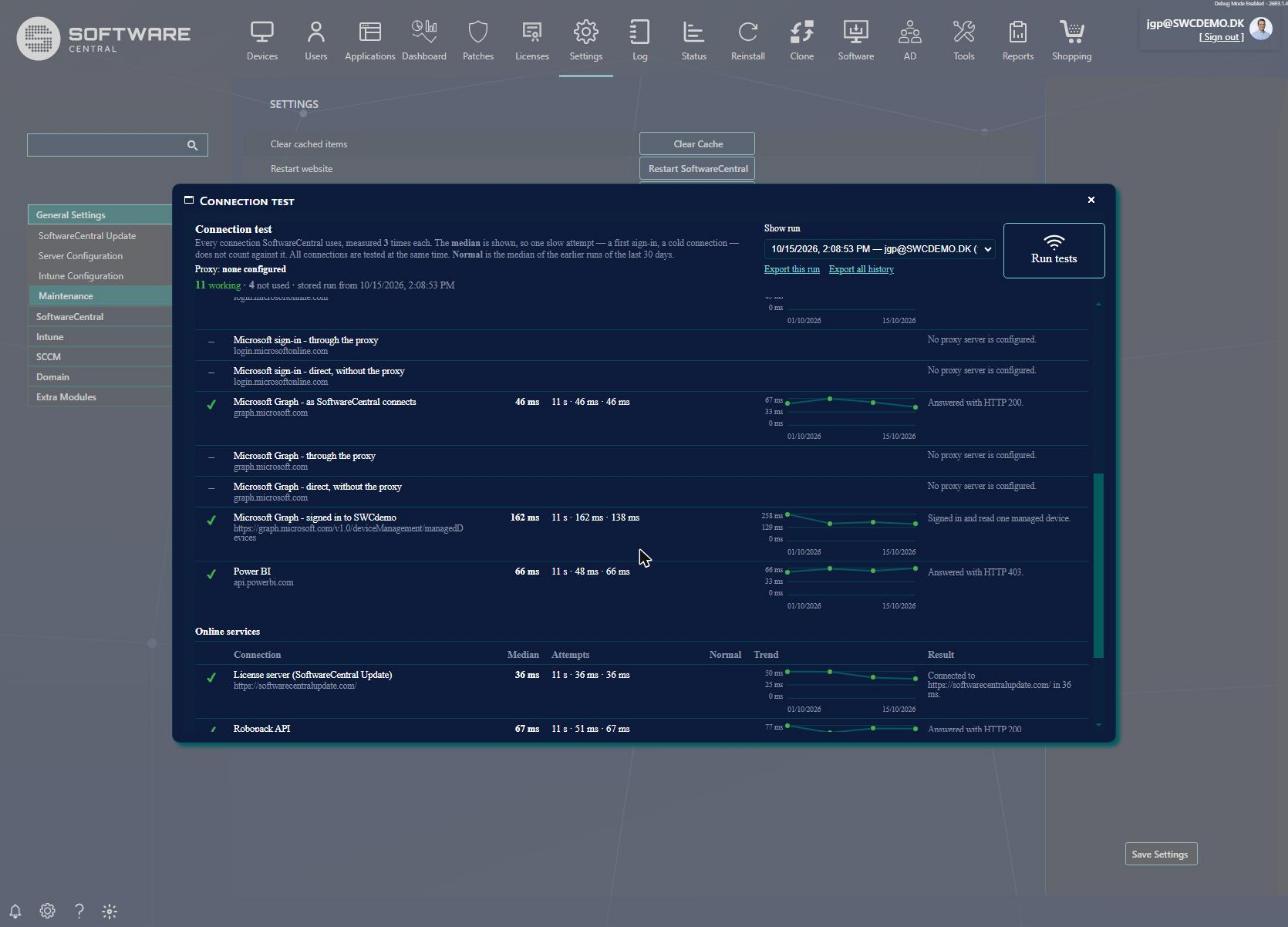
Is everything connected? Ask SoftwareCentral
New in Settings: Test connections. With one click SoftwareCentral checks every connection it depends on, from the database and the Configuration Manager server to the Microsoft cloud, Robopack and the license server. Each one is measured three times, so a single slow moment does not give you a false alarm, and you can see at a glance what works, what is slow and what is not used. The results are kept, so you can follow how each connection behaves over time, and export them to a file when support asks. If you use a proxy, you can even see what it does to your Microsoft connections.
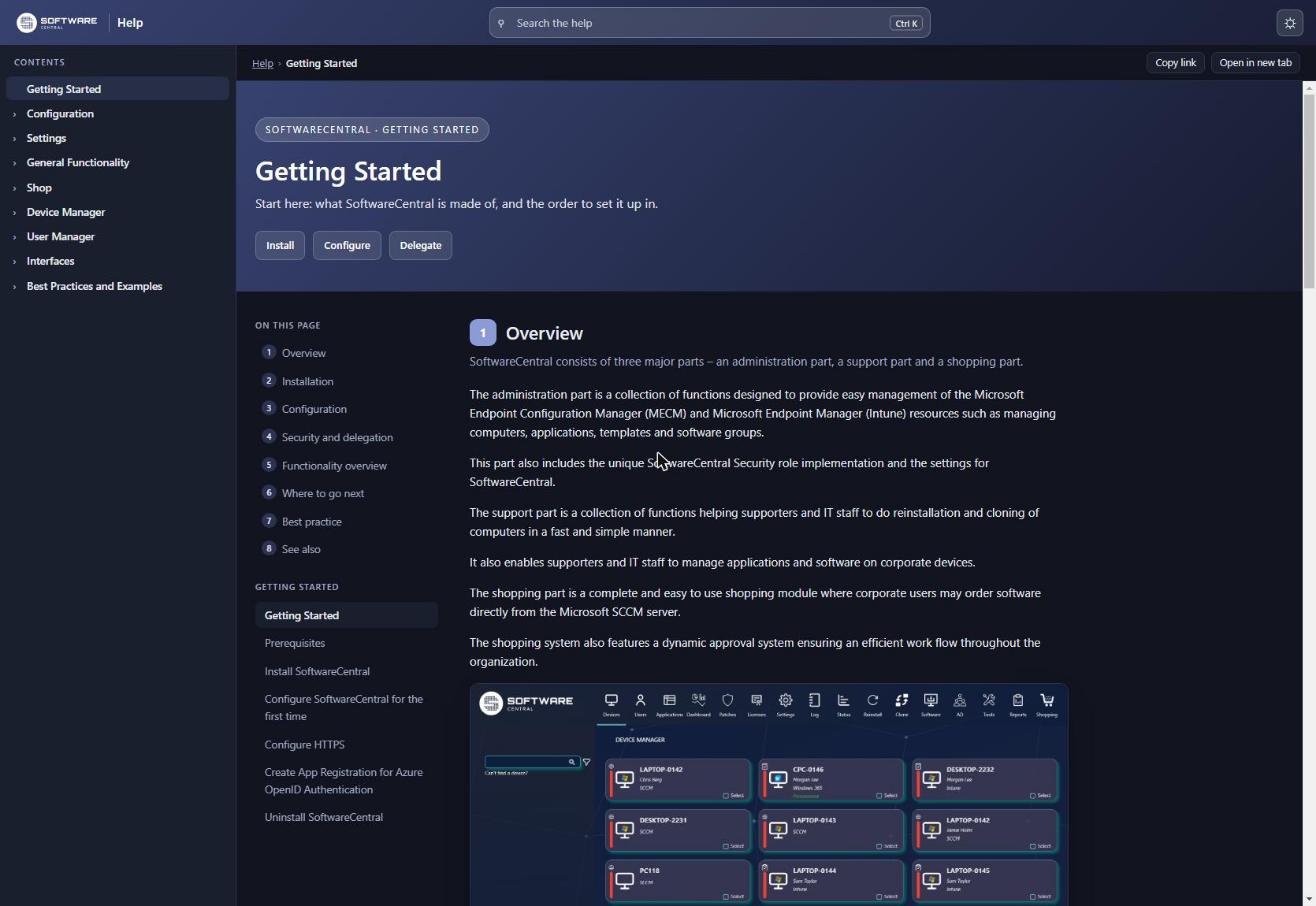
Help that helps
The documentation has been rebuilt from the ground up. The contents are always on the left, the page on the right, and the search finds what you need across all pages while you type. Press Shift+Enter to see every match on a page of its own. It follows your light or dark mode, and the guide to the new shop is there for you to preview, even before you switch the shop on.
We went bug hunting

This release is a big spring clean, even if it arrives in the autumn. We have gone through SoftwareCentral from the shop to the log, and found, fixed and tested more than 150 things, most of them fixes. Many were small and few of you would ever have noticed: a button that sat half outside its window, a message with a typo, an error that was really just a polite “no”. A few were not small, and we are glad to have caught those. Device Manager, User Manager, the shop, the license module and the security roles all got their share.
The result is a SoftwareCentral that is steadier from top to bottom. Jobs that used to stop now carry on, the log is quieter and says more when it matters, and large sites feel faster; deployment status has been tested on a site with more than 70,000 clients. No bugs were harmed in the making of this release. Well, they were. That was the point.
Coming next
The rebuilt Shop is on its way, and you can already see it in the shop preview. The read-only dashboards for Intune, Entra ID, Microsoft Defender and Configuration Manager follow. If you would like to help shape any of them, write to us at support@softwarecentral.com.