1 Overview
To reset a users password, go to the “Reset Password” interface, found under the AD menu.
Find the user whom password need to be reset in the left side of the menu, and the interface will be populated with contact information to this user, and the password settings for the domain the user is under. If you have access to more than one domain, select the domain first. Entra ID tenants are in the list too, with the text (Intune) after the name.
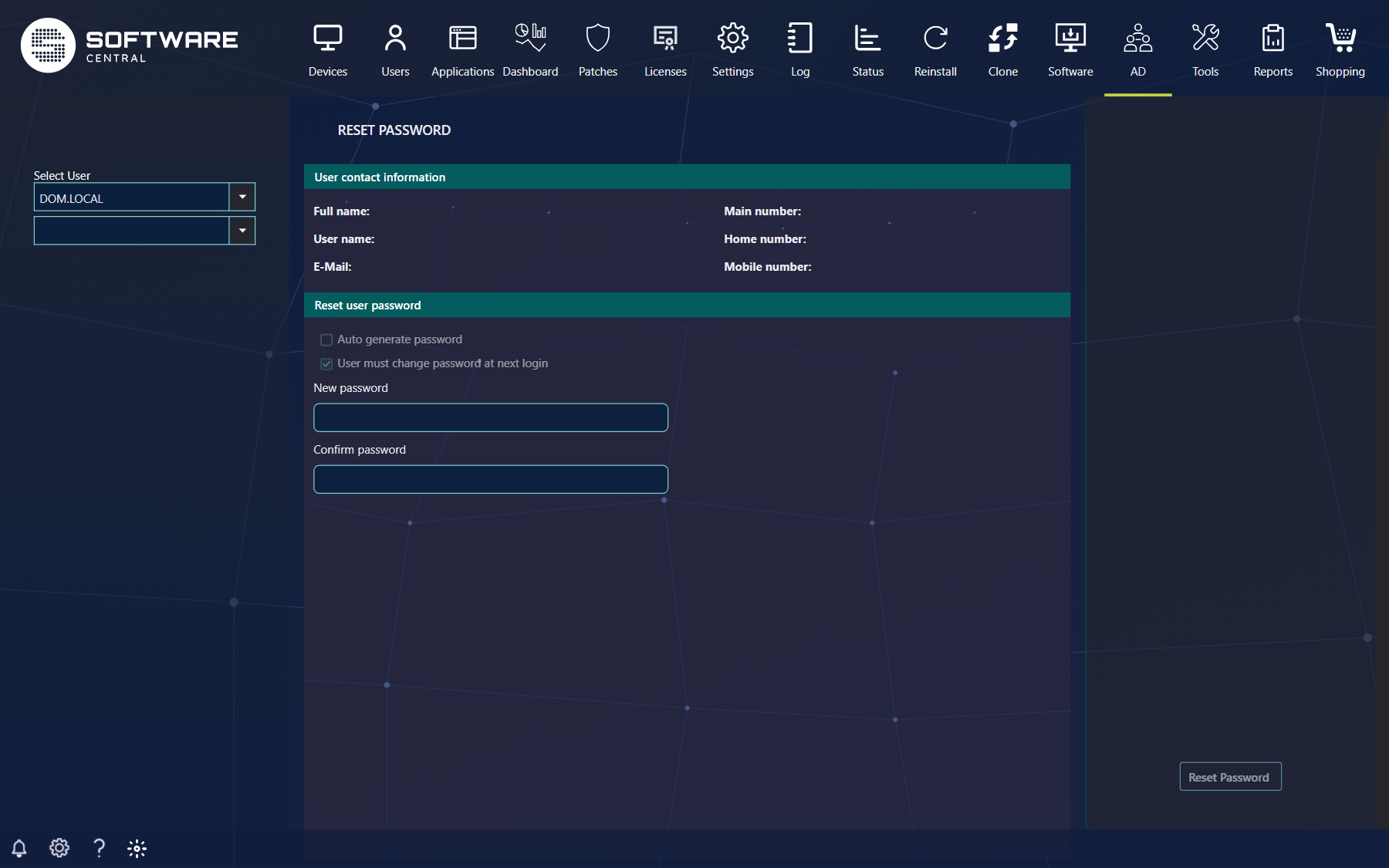
There are two ways to reset the password.
1) The user who is resetting the password is selecting the new password and then confirms this. If the two passwords are matching, the reset password button is enabled, for the user to press.
2) By checking Auto generate password the interface will change to have a button, Generate new password, that will create a new password that’s following the domains requirements.
Then click Reset Password. The button is first enabled when there is a valid new password.
Note: The new password is not stored in SoftwareCentral; therefore contact the user whom password is going to be reset.
2 The options
| Control | What it does |
|---|---|
| User contact information | Shows Full name, User name, E-Mail, Main number, Home number and Mobile number of the selected user, so you can check that you reset the right account and reach the user. |
| Auto generate password | Lets SoftwareCentral create the password, following the password rules of the domain. Without it you type the password yourself, in New password and Confirm password. |
| User must change password at next login | On by default. The user has to choose a new password when signing in with the one you set. For an Entra ID user the user always has to change the password at the next sign-in. |
| Unlock user | Shown when the account is locked and your role has the permission to unlock accounts. Unlocks the account together with the reset. |
| Enable user | Shown when the account is disabled and your role has the permission to enable accounts. Enables the account together with the reset. |
| Password rules | Shown next to the password boxes: the minimum length and, if the domain has them, the complexity requirements. A password you type must follow them, which includes that it cannot contain more than two consecutive characters from the full name or the user name. |
3 Best practice
- Check the contact information, and confirm that the person asking is the owner of the account, before you reset a password.
- Prefer Auto generate password and keep User must change password at next login on, so the password you hand over is only temporary and the user ends up with a password that only the user knows.
- Pass the new password to the user over a different channel than the ticket, for example by phone, because SoftwareCentral does not store it.
- Give the unlock and enable permissions only to the roles that handle such requests.
- Let users reset their own password with Reset Password self-service, so the service desk only handles the exceptions.