1 Find the address
A web service can be called in many ways, from a script or from a third-party tool. Start in the General tab of its Manage window.
Open Settings › Web Services and click Manage next to the web service you want to call.
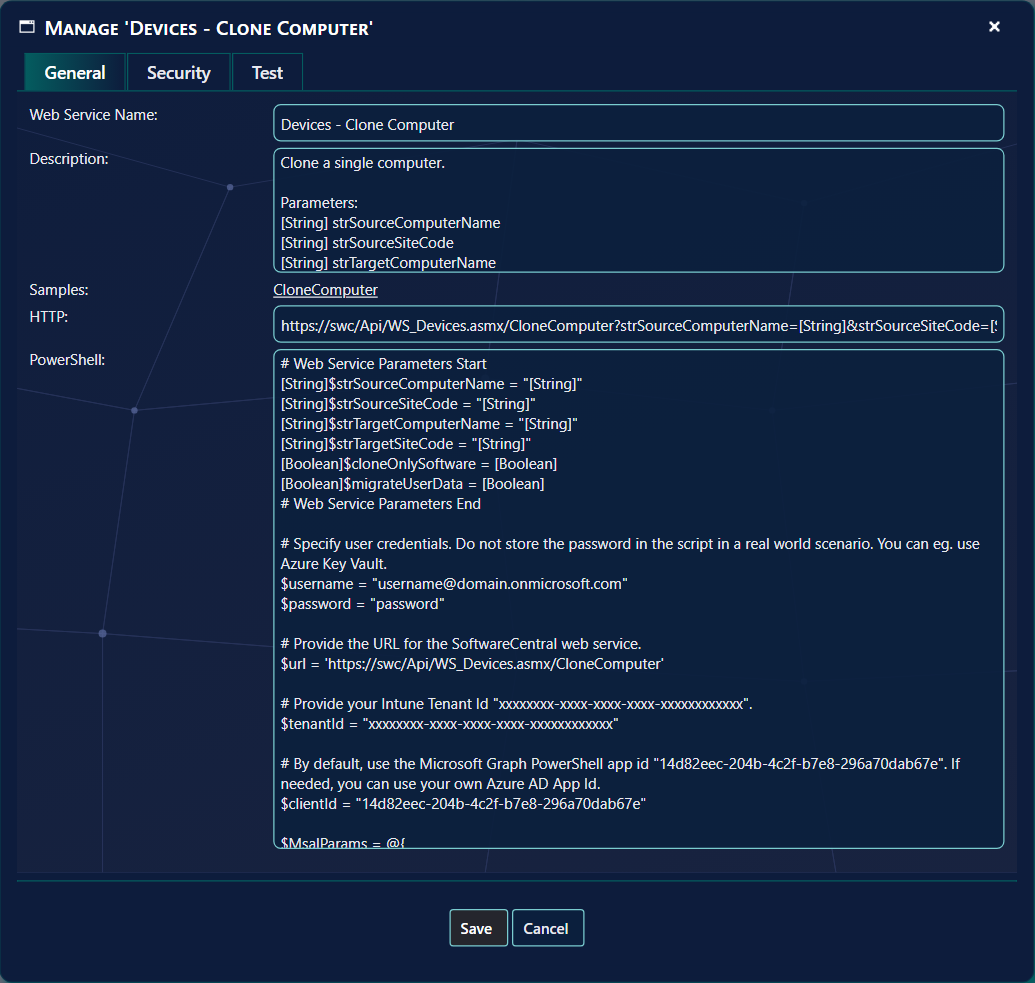
| Field | What it holds |
|---|---|
| Web Service Name | The name, as it is in the list. |
| Description | What the web service does. After it comes the list of parameters, each as [type] name. |
| Samples | A link with the name of the method. It opens a page with samples of SOAP requests and responses and of HTTP (REST) GET and POST requests and responses. |
| HTTP | The address of the web service and the method, with the parameters you must send. |
| PowerShell | An example of how to call the web service from a PowerShell script. |
| VBScript | An example of how to call the web service from a VBScript. |
2 Test the web service
Open the Test tab to run the web service from the browser.
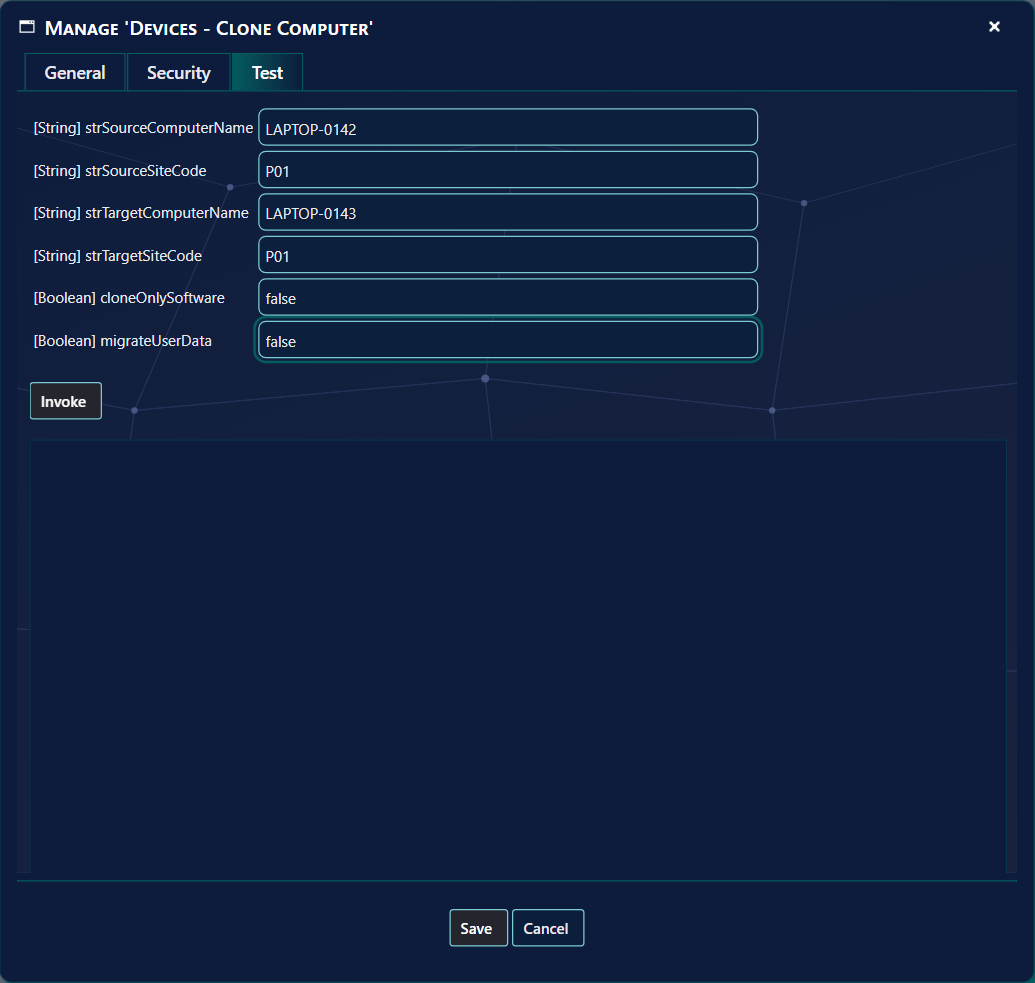
There is one box for each parameter. Click Invoke to call the web service. The answer is shown in the frame below the button, and the address that was called is shown as a link under it; click the link to open the answer in a new window. The web service runs in your context, with the role you have selected, so the test shows what you are allowed to do.
3 Parameters that are lists
Some web services take lists of values, for example several users and several applications at once. The type in front of the
name is then String[]. A web service that is called with SOAP, for example from PowerShell with
New-WebServiceProxy, takes a list directly. With JSON, send the list as an array. With HTTP GET or POST, repeat the parameter for each value, for example
astrUserPrincipalNames=a@contoso.com&astrUserPrincipalNames=b@contoso.com. See the examples in
Intune web services.
4 More examples
- See a call from ServiceNow: ServiceNow.
- See how to call as an app or as a user with an access token: Call web services using Microsoft Security Tokens.
- See a full PowerShell example under Best Practices and Examples.
- See Import Computer From Web Service.
5 Best practice
- Try the call on the Test tab before you script it. Invoke runs the web service in your browser with the values you typed, so the answer shows what you are allowed to do.
- Open the answer in a new window with the link that appears under Invoke.
- Use the VBScript example only where it is shown. It is not offered on SoftwareCentral Cloud.
6 Troubleshooting
| Symptom | Cause | What to do |
|---|---|---|
| No answer under Invoke, and the log holds “Failed to invoke web service.” | The request could not be built or sent. The error is written to the log as a critical entry. | Open the Log, read the entry, and check that every parameter has a value. |
| The parameters are missing on the Test tab, and the log holds “Failed to get method parameters from method…” | The parameters of the method could not be read. | Open the Log, read the entry, and try again. |
| There is no VBScript box on the General tab. | The installation is SoftwareCentral Cloud, where the VBScript example is not offered. | Use the PowerShell example, or call the HTTP address with the parameters. |