1 The list
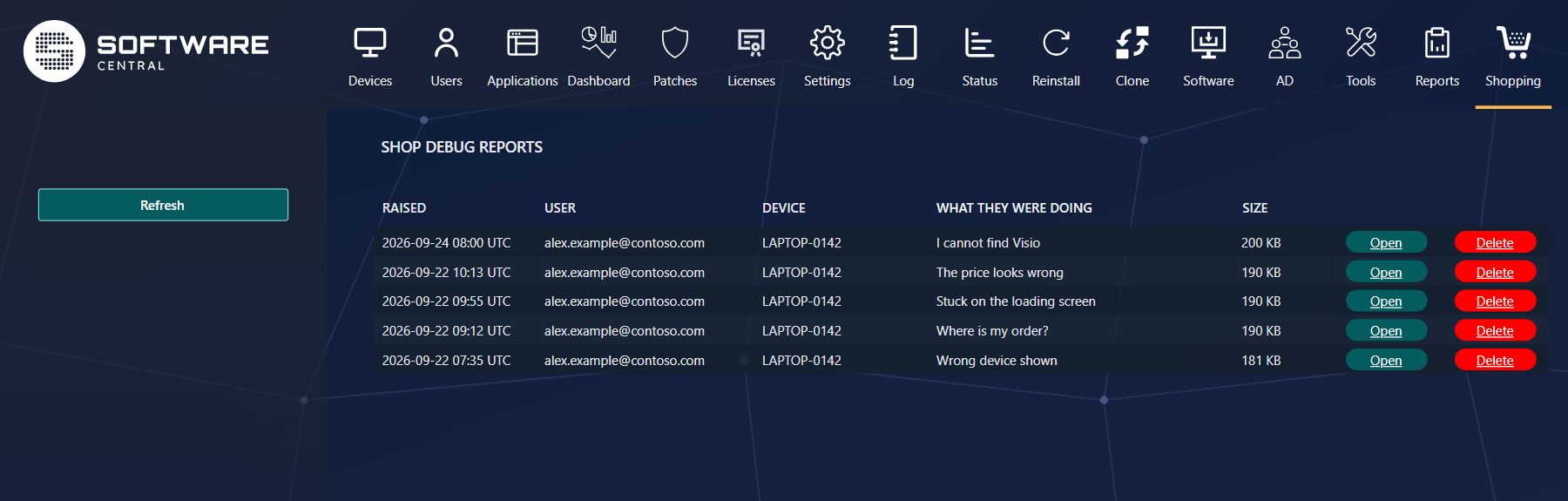
The newest reports come first, with who sent them, from which device, and what they wrote they were doing. Refresh fetches reports sent since you opened the page. Open shows a report; Delete removes it once you are done.
2 Reading a report
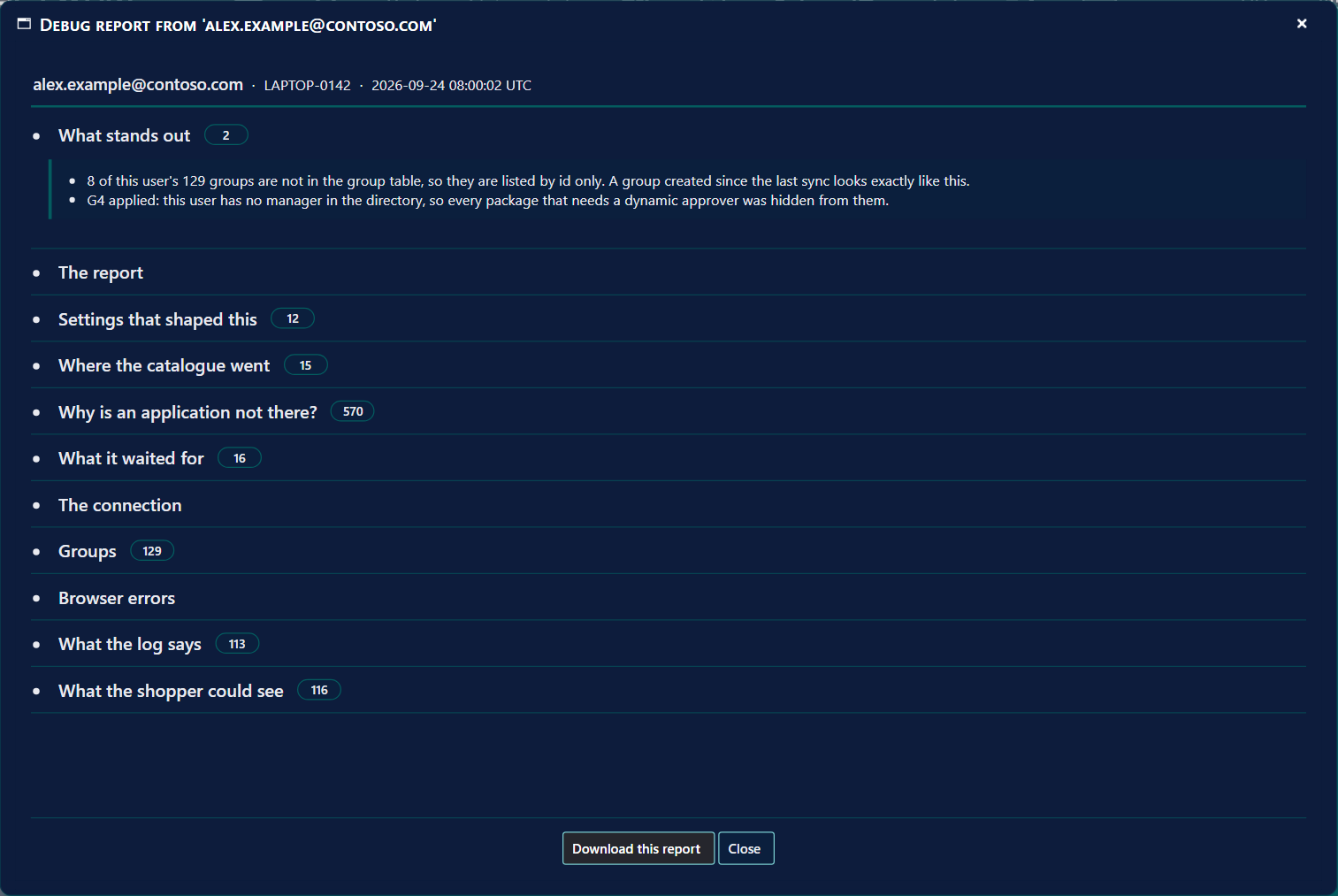
| Section | What it tells you |
|---|---|
| What stands out | The findings worth your attention first, in plain words — for example that the user has no manager, so applications with a manager approval were hidden. |
| The report | What the shopper wrote, and when. |
| Settings that shaped this | The shop settings that affected what this person saw. |
| Where the catalogue went | Each step that narrowed the catalogue, and how many applications it removed. |
| Why is an application not there? | Every application that was left out, and the step that removed it. See below. |
| What it waited for | How long each part of loading the shop took. |
| The connection | How the shop identified the person and the device. |
| Groups | The groups the person is in, as the shop saw them. |
| Browser errors, What the log says | Errors in the browser, and the log lines written while the shop loaded. |
| What the shopper could see | The applications the shop showed them. |
Download this report saves it as a file, for example to attach to a support case.
3 Why is an application not there?
This is the question most reports are about. Open the section and find the application: it names the step that removed it — not assigned to the user or device, the application's life-cycle status, a missing approver, a setting — so you know whether to change the application, the person's groups or a setting.
4 How long reports are kept
Reports are deleted after 90 days, and only the five newest per person are kept. A report contains the person's name, device and groups, so delete it once the problem is solved.