1 Featured
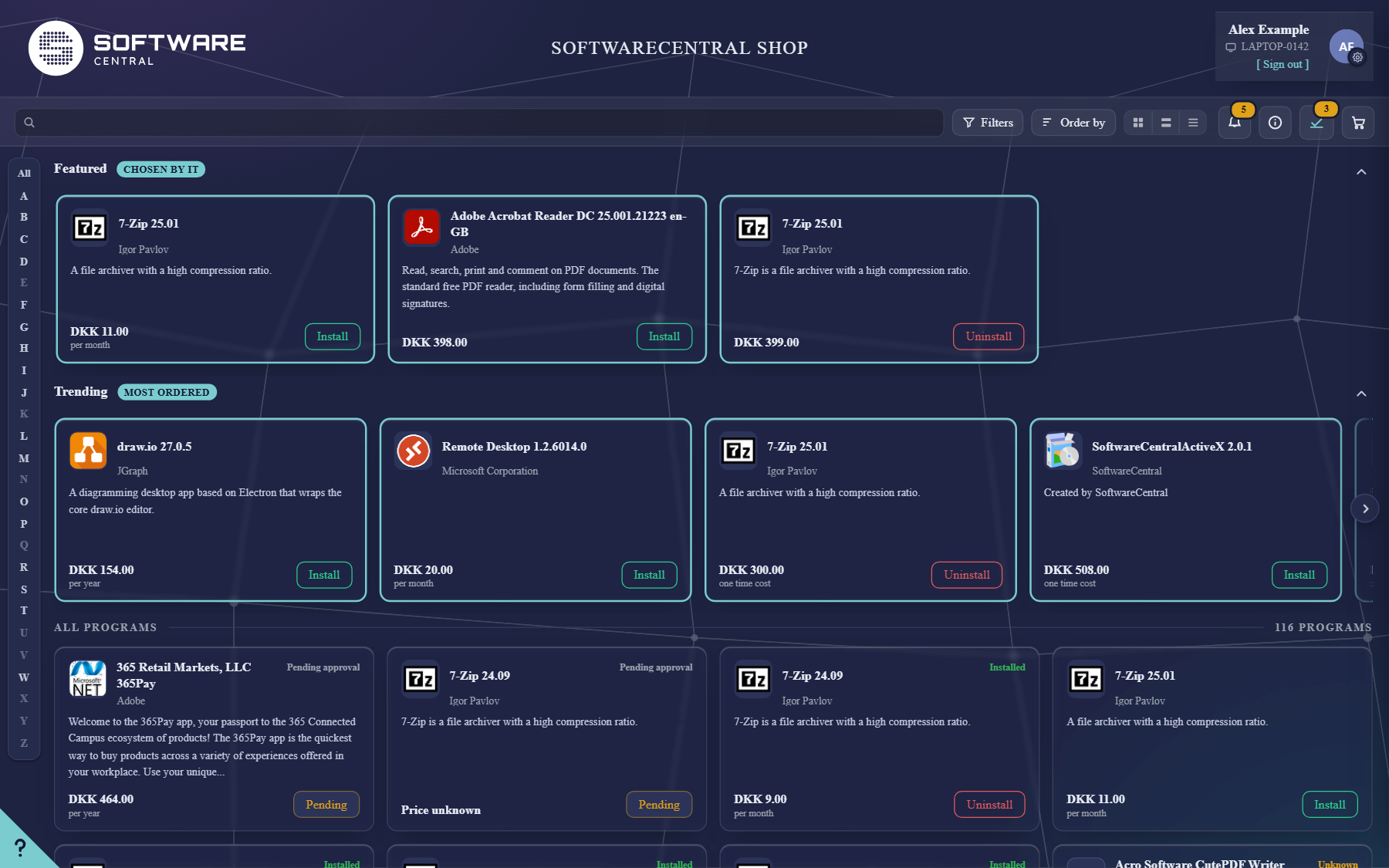
In an application's shop settings, tick Feature this item in the shop and give it a position. The shelf shows the lowest position first; applications with the same position — for example all left at 0 — are shown by name.
Use Featured for what most people need, or for something new you want everyone to notice. Switch the whole shelf on or off under Settings › New Shop › Show featured apps.
2 Trending
Trending lists the applications ordered most in your organisation, up to ten, most ordered first. Installs and uninstalls both count. You set it under Settings › New Shop:
| Setting | What it does |
|---|---|
| Show trending apps | Shows the shelf. |
| Trending counts orders from | The last month, 3 months or 12 months. |
| Orders before an app can trend | The minimum number of orders in that period. Default 5. |
3 What both shelves have in common
- A shopper only sees applications they may order anyway — a shelf never offers something hidden from them.
- Programs already in the basket are left out, and Trending leaves out what is already on Featured.
- A shelf with nothing to show is hidden, and both shelves step aside while a shopper searches or filters.
- Shoppers can fold a shelf away with the arrow at its top right.