A custom shop item is something shoppers can order that is not a package: hardware, a support ticket, temporary
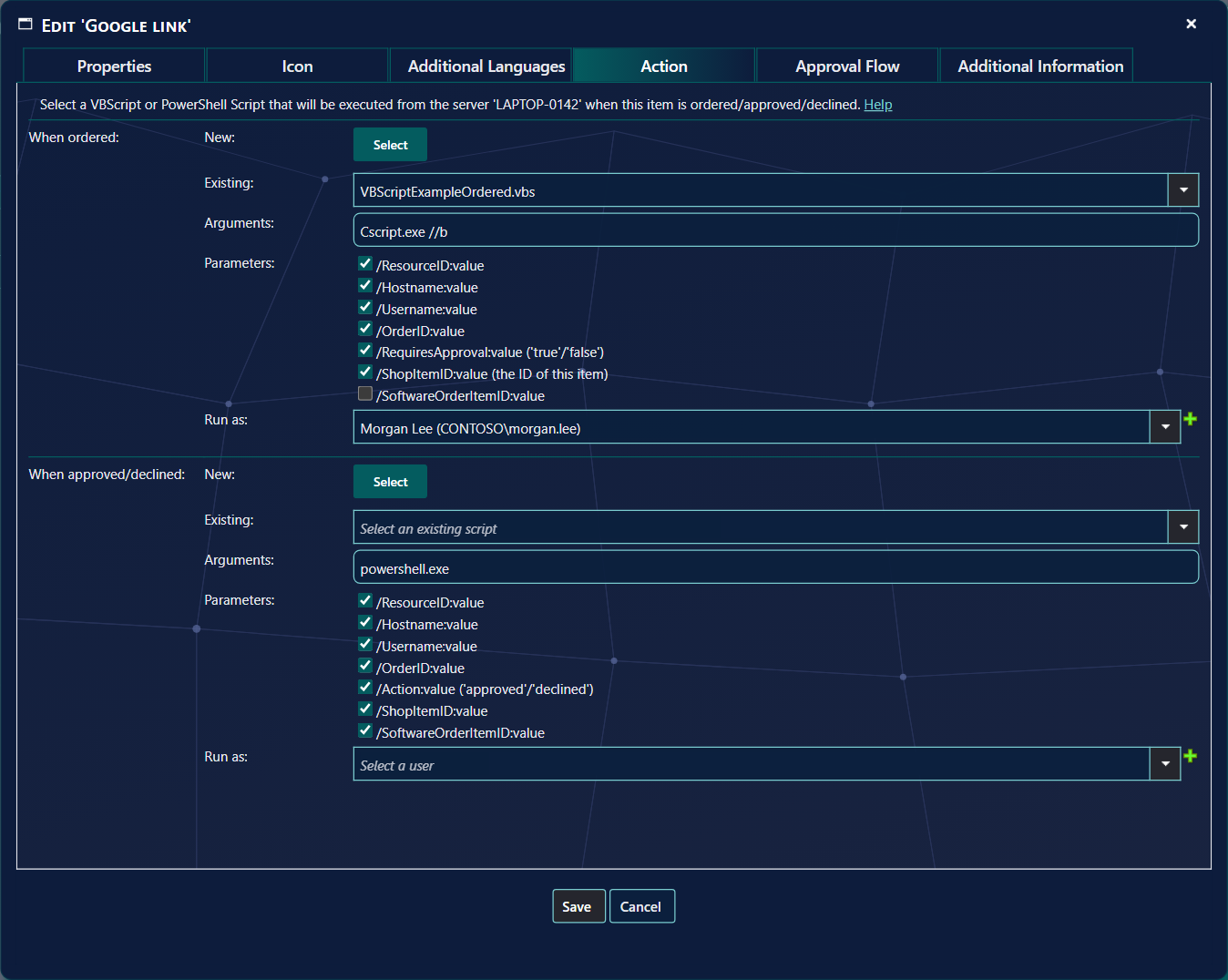
local administrator rights, a trusted site. It goes through the normal approval flow, and can run a script when it
is ordered or decided.
Anything orderableApprovalA script does the work
1 The list
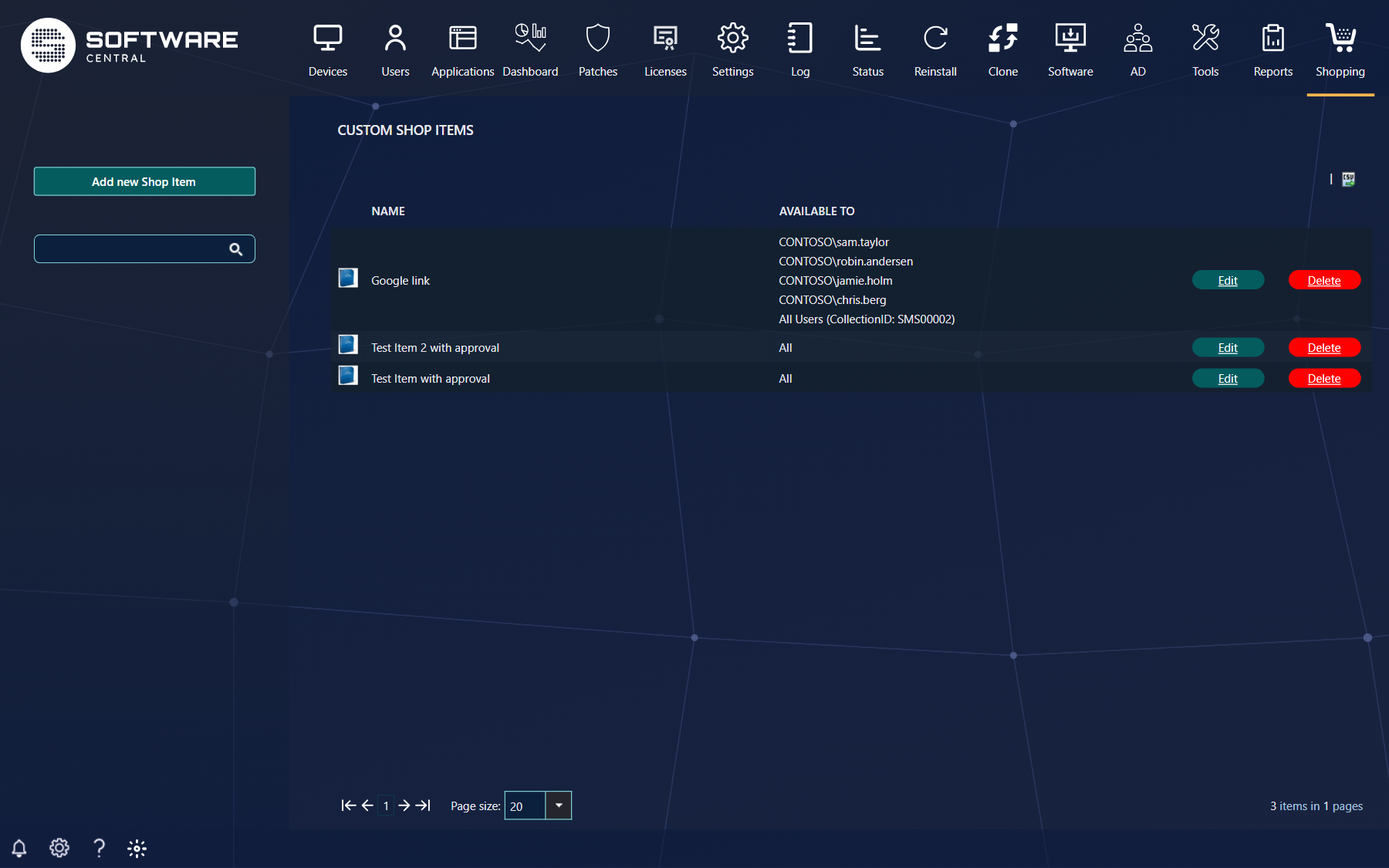
Shopping › Custom Shop Items.
Click Add new Shop Item to create one, or the name or Edit to change it. The list can be exported to
CSV. The ServiceNow toggle saves at once.
2 Properties
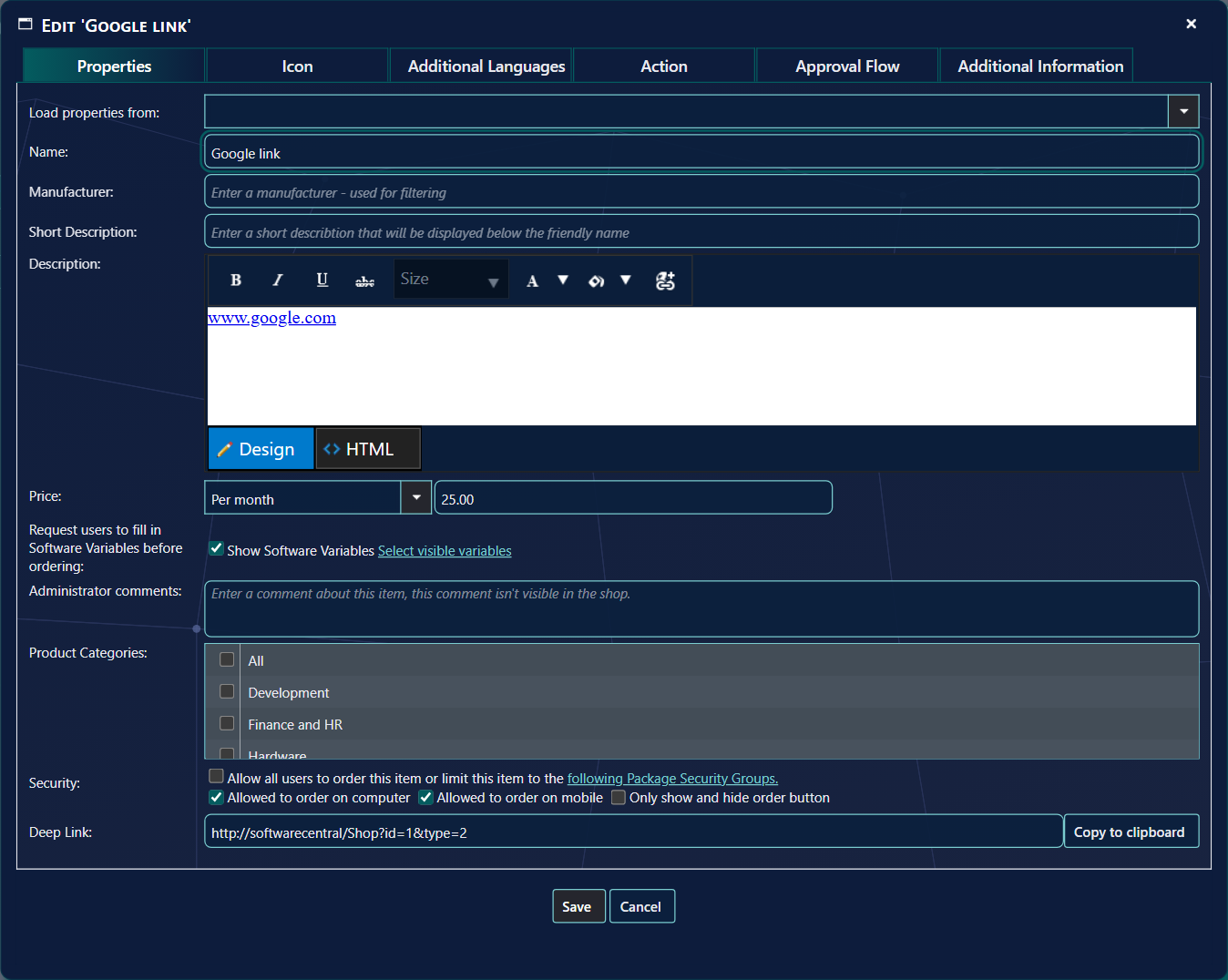
Properties. Only the name is required.
Field
What it does
Load properties from
Copies the settings of an existing item as a starting point.
Name, Manufacturer
The name shoppers see, and a manufacturer for the filter.
Short Description, Description
As for applications; the description can contain HTML.
Price
A price, or Free, Unknown, per year, per month or a one-time cost.
Show Software Variables
The questions the shopper answers — for hardware, for example the model or the delivery address.
Administrator comments
Never shown in the shop.
Product Categories
Where it is listed.
Security
Allow all users to order this item, or only the members of the chosen Package Security Groups. Allowed to order on computer and on mobile. Only show and hide order button shows the item without a way to order it — for information only.
A custom item appears as a normal card. Its button is Order — or your own text, set under Settings ›
Shop › Install button text — and it can be ordered, approved and followed like any application. It
cannot be uninstalled or repaired.